

Projects › 3D configurators › Eurofork
Intralogistics products to explore at the exhibition stand and in a browser.
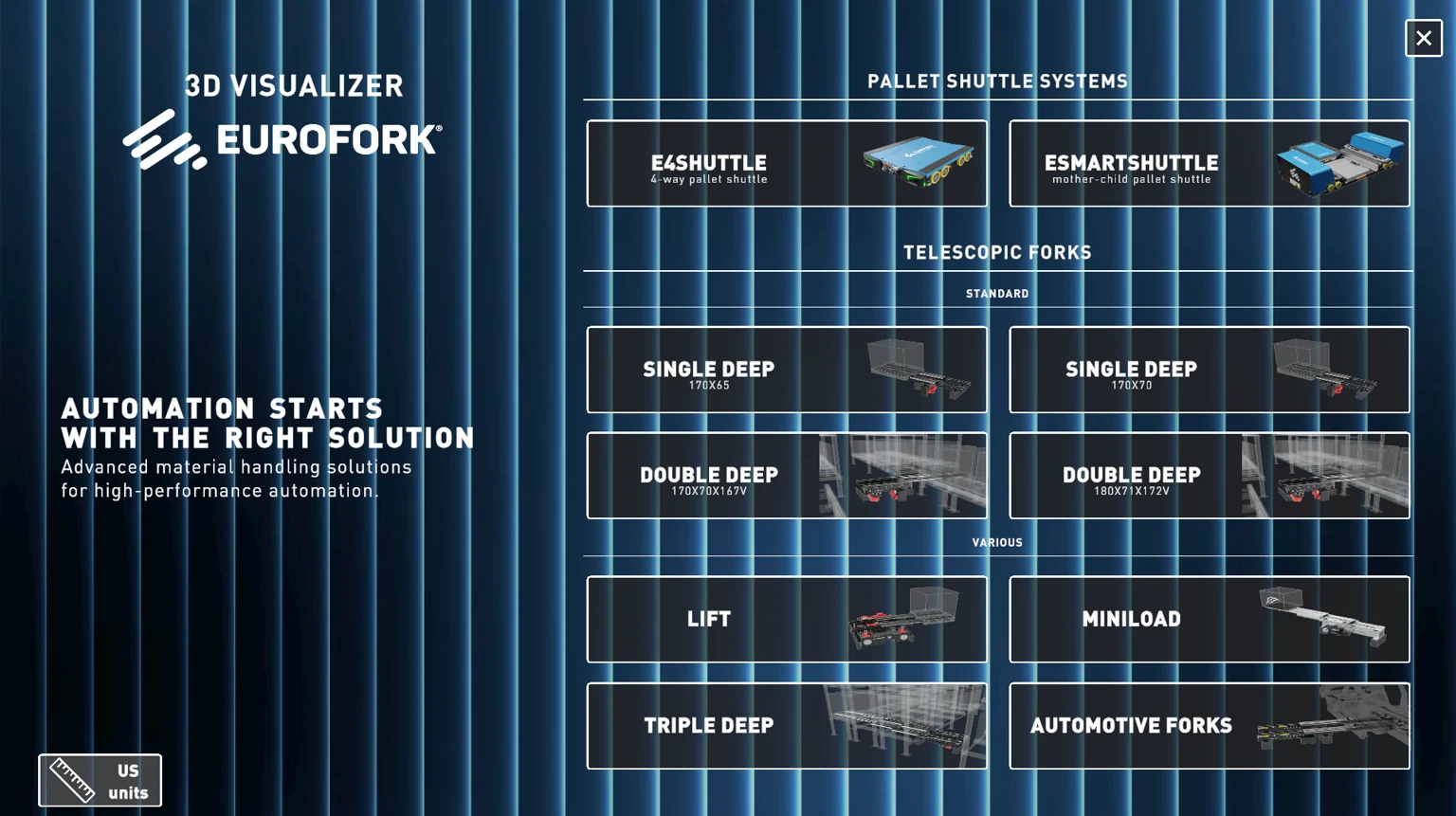
Commissioned by Point Architects, Loto Studios developed the Eurofork configurator presented at LogiMAT 2026: an industrial product catalogue that can be explored in 3D on touch stations and online.
Project sheet
Eurofork at a glance
- Project/01
- Eurofork catalogueIntralogistics products
- Commission/02
- Point ArchitectsDeveloped by Loto Studios
- Service/03
- 3D configuratorIndustrial 3D configurators →
- Event/04
- LogiMAT 2026Presentation at the stand
- Access/05
- Touch and browserCatalogue consultation
- Year/06
- 2026Project first published on 30 April
The challenge and the solution
Explaining a technical catalogue through interaction
The challenge. Shuttles and telescopic forks have structures and functions that a single image cannot convey. At a trade show, visitors need to find their way through product families and details, while presenters need to bring up the solution relevant to the conversation.
The solution. A dedicated interface brings together the catalogue and the 3D models. Navigation lets users select a product to explore and view its structure and configurations. The same process was adapted for the stand’s touch stations and for consultation in a browser.
- 01OrganisationMake the catalogue’s product families recognisable.
- 02ExplorationPair product selection with a 3D representation.
- 03Usage contextPrepare interaction for exhibition stations and the web.
From assets to configurator
Models and interface in one process
- 01 · ProductsIndustrial modelsModel and optimise the products to be presented.
- 02 · CatalogueDedicated navigationOrganise selection and available variants.
- 03 · Interaction3D explorationDisplay products within the application.
- 04 · UseStand and web accessAdapt the experience for touch stations and browsers.
The project at the trade show
The stations at LogiMAT
The documented delivery
The product at the centre of the presentation
- CatalogueProducts to exploreModels and product families accessible through the same interface.
- Trade showTouch stationsThe configurator is documented in photographs of the LogiMAT stand.
- WebContinued accessThe interactive catalogue was also designed for browser access.
The work connects 3D product representation to the way products are presented. Video and photographs show the application and its use at the stand. The available materials document the experience; they do not report measured sales growth or conversion gains.
Explore industrial 3D configurators and web 3D configurators.


Let’s talk about your catalogue
Which products do you want people to explore?
We start with your products, variants and available 3D assets. Together we define who will use the catalogue, which details they need to consult and where the presentation will take place: stand, touch station or browser.