

AUGMENTED REALITY APPLICATIONS
Custom AR applications for products, businesses and real-world contexts.
An augmented reality application adds digital content to the physical world through smartphones, tablets or AR devices. It is useful when products, instructions or information need to appear in the user’s real environment rather than inside a separate virtual scene.
Loto Studios develops custom AR experiences, optimized 3D assets and tracking logic for product visualization, retail, marketing, training, culture and selected industrial applications. The first decision is not which engine to use. It is what must be recognized or tracked, where the experience will run and which devices need to support it.
WebAR, a native AR app and the AR module of a product configurator can solve similar-looking problems with very different levels of access friction, device control, performance, maintenance and integration.

WHEN AR IS THE RIGHT FORMAT
Use augmented reality when the physical context is part of the experience.
AR is valuable when digital information must remain anchored to a product, image, surface or place. If the real world does not need to stay visible, another format is usually simpler and more reliable.
AR makes sense when users need to…
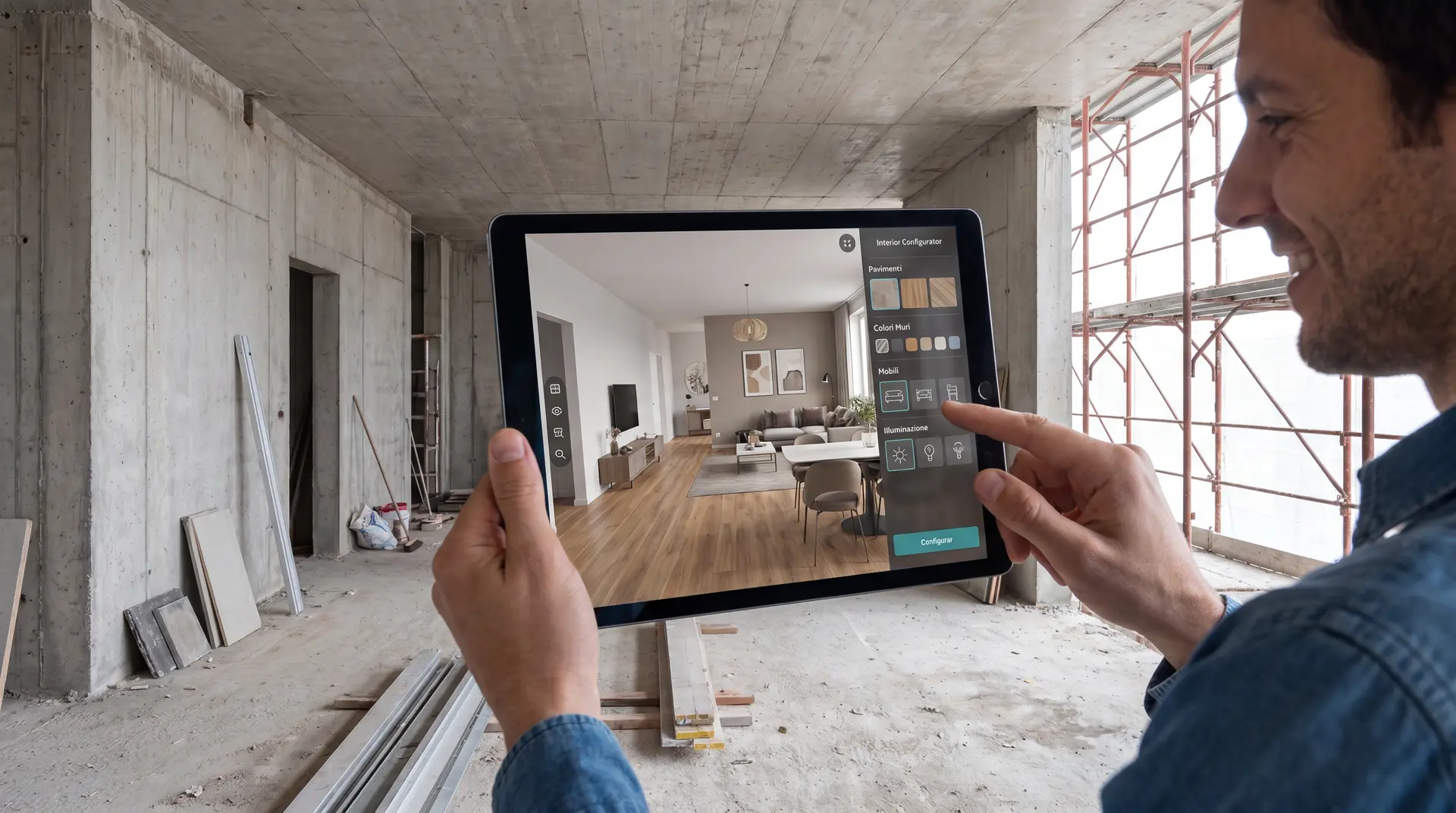
Retail and e-commerce projects can use AR to evaluate dimensions, proportions and how an object fits into a real environment before purchase.
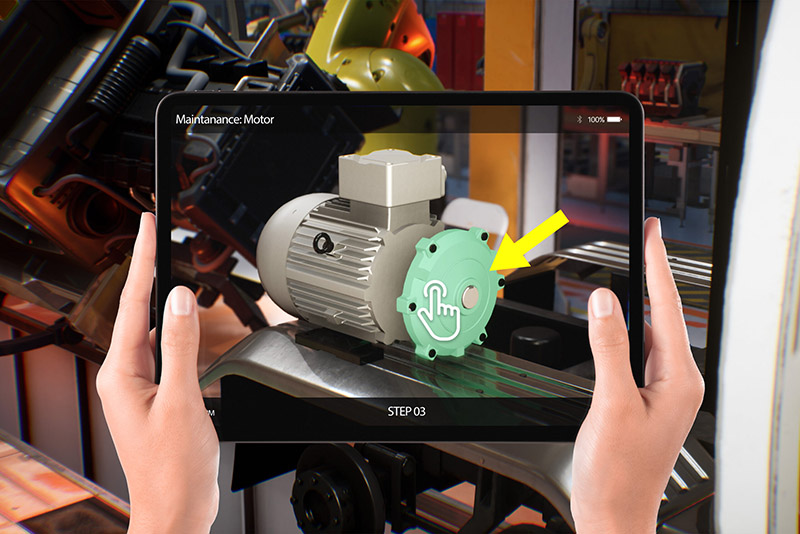
Instructions, components and contextual content can be overlaid on a machine, object or work area when separating information from the real task would make the workflow harder to understand.
Image targets, markers and surfaces can connect campaigns, packaging, retail environments and cultural routes to digital content without replacing the physical experience.
Reconstructions, variants and guided information become useful when the user must keep a real-world reference while viewing digital content.
Choose another format when the main problem is…
WHAT WE DELIVER
From CAD, 3D content and real environments to an AR experience tested on the target device.
An AR delivery combines assets, tracking, interaction and distribution. We design the behavior of the experience together with the context in which it will be used instead of discovering environment constraints at the end of production.
Typical inputs: CAD or 3D models, images or markers where required, environment references, target devices, scale requirements, content, languages and systems that need to be integrated.
Typical outputs: optimized assets, tracking and interactions, a WebAR experience or application build, agreed test criteria and integrations with websites, catalogues or external systems when part of the scope.
Lighting, surfaces, distance, device capability, connectivity and acceptable tracking tolerance are part of the test plan. Visual quality alone does not make an AR application reliable.
AR USE CASES
Types of augmented reality applications we build.
E-commerce, marketing, training, gaming and culture use the same technology family, but the tracking method, device, assets and interaction model change the actual project.

AR for E-commerce
Place products at scale inside the customer’s environment before purchase. This is most useful when size, proportions or relationship with the surrounding space influence the buying decision.
AR for Marketing
Connect campaigns, packaging, images, locations or products to interactive digital layers. WebAR can reduce access friction when a link or QR code is enough for the required experience.
AR for Training
Show instructions and 3D components at the point of use. The application must be designed around the real environment, target device and actual procedure rather than presented as a generic remote-assistance platform.

AR Gaming
Use the camera, movement, real images or surfaces as part of the game mechanic. Tracking is chosen because it supports the rule of the experience, not simply to add an AR effect.

AR for Tourism & Culture
Overlay reconstructions, objects and guidance onto museums, heritage locations and physical routes. AR is valuable when comparison with the real place is part of the cultural experience.

Product Configurator + AR
The configurator manages variants, materials and compatibility while AR displays the selected configuration in the real world. The two layers stay separate and connected.
PROCESS
From the use case to a testable augmented reality build.
Four phases keep the project tied to the real device and environment instead of treating AR as a purely visual layer.
Use-case analysis
We define environment, users, device, content, scale and the tracking requirement.
01
AR content design
We prepare UX, optimized 3D assets, interactions and experience logic around the physical context.
02
Development & integration
We implement tracking, interactions and connections to product data or external services when required.
03
Testing & release
We verify stability, scale, tracking and usability on the target devices and in the planned environment.
04
TECHNOLOGY & CONTROL
WebAR, native app or AR module: distribution changes the project.
The same idea can require very different architectures. Access friction, device control, performance, offline use and integrations should be decided before producing all assets.
WebAR
Fast access through a browser, link or QR code. It works best when the required functions, assets and tracking can stay within the capabilities of supported browsers and devices.
Native AR application
Useful when the project needs more device control, performance, integrations or operational behavior than a browser-based experience should handle. Installation and release management become part of the scope.
Configurator + AR
When products have variants, compatibility rules or commercial logic, the configurator decides what is valid. AR receives that configuration and visualizes it in the real world.
Image targets and markers
Digital content is anchored to a known visual reference. This is suitable for packaging, print, panels and recognizable objects when the target can remain visible in predictable conditions.
Surface and markerless tracking
The device interprets planes and the surrounding environment to place digital objects without a dedicated marker. Surface quality, lighting and device capability affect stability.
Scale, light and surfaces
Dark spaces, uniform or reflective surfaces, rapid movement and weak visual references can reduce tracking quality. Projects with critical scale or precision requirements must be tested in context.
Assets, devices and network
Geometry, textures and animation must fit device memory and performance. WebAR also depends on browsers and connectivity; native apps add release, compatibility and update requirements.
COSTS & SCOPE
AR pricing depends on tracking, assets, interactions and distribution.
Final scope and delivery time are defined after the brief and a technical feasibility check.
| AR project type | Indicative price | Delivery |
|---|---|---|
| WebAR / simple visualization | Starting from €700 | Defined after brief |
| Custom AR application | Starting from €5,600 | Defined after brief |
| Product / automotive AR | Starting from €7,000 | Defined after brief |
The relevant cost drivers are the number and quality of 3D assets, tracking method, target devices, interactions, product data, required integrations, analytics, offline behavior, languages and testing conditions.
REAL PROJECTS
Augmented reality applied to automotive and guided assistance.
Only public, verifiable Loto Studios projects are used here. We do not turn generic industrial claims into imaginary case studies.

Automotive AR Configurator
An automotive example in which configuration logic and augmented reality visualization work as separate but connected layers, as in an augmented reality 3D configurator.

AI SmartAssistance
A public Loto Studios project combining augmented reality and guided digital assistance. It is presented as a custom project, not as a standardized remote-assistance SaaS.
Custom AR development
For new projects we begin with environment, device, tracking and asset feasibility. This avoids choosing a distribution model before the actual use case is understood.
RELATED SOLUTIONS
AR, VR or product configuration?
Choose the technology according to the role of the physical environment and the interaction the project actually requires.
FAQ
Questions about augmented reality applications.
What is an augmented reality application?
An AR application overlays digital content onto the physical world through a camera-enabled device. The content can be anchored to images, markers, surfaces or the surrounding environment depending on the tracking method.
Is WebAR always better because users do not install an app?
No. WebAR can reduce access friction, but browser support, performance, tracking and integration requirements matter. Native development is more appropriate when the project needs deeper device control or functions that should not depend on the browser.
Can AR use existing CAD or 3D models?
Often yes, but technical models normally need preparation and optimization before they are suitable for mobile or browser-based AR. Geometry, textures, materials and animation are adapted to the target device and interaction.
Can augmented reality show a product at real scale?
It can be designed for scale-aware visualization, but reliability depends on tracking, device capability and the real environment. If scale or precision is critical, it should be tested on the actual target devices and physical context.
What affects AR development cost?
Tracking method, number and quality of assets, target devices, interactions, product logic, integrations, analytics, offline requirements, languages and testing conditions all affect scope. We separate these variables before producing a final estimate.
Should I choose AR instead of VR?
Choose AR when the real environment must stay visible and digital content needs to relate to it. Choose VR when the user needs to enter a complete simulated environment. Product configuration is a different problem again: it manages variants and rules, with AR as a possible output.
AR PROJECT
Tell us what should appear in the real world, where and on which device.
To assess an AR project we need the real context: environment, target device, what must be tracked, available 3D or CAD assets, expected interactions, distribution model and deadline. This is enough to distinguish a simple visualization from a custom application or a configurator with AR output.
Evaluate your AR case
Send the environment, target device, available assets and the behavior you expect. We will use those constraints to identify the most suitable technical route.
DISCUSS THE PROJECT →OUR CONTACT DETAILS
We look forward to helping you reach your goals! Would you like a no-obligation quote? Here are our contact details. Alternatively, fill out the form in each of its fields and we will get back to you as soon as possible!

HEADQUARTERS
C.so Unione Sovietica 594, 10135 Turin (TO)

TELEPHONE
+39 378 060 9310