

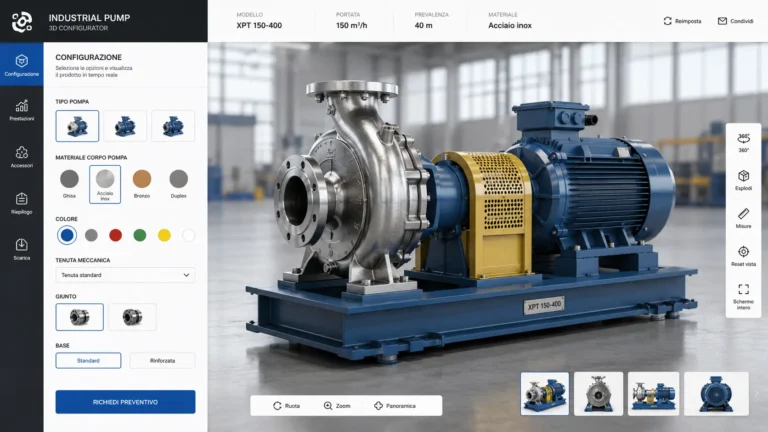
An industrial 3D configurator lets users explore a technical product, select components and view compatible variants in real time. It makes a configuration easier to understand and collects a request that sales and engineering teams can review.
It is designed for machinery, modular components, plants and professional equipment. We start with your product rules: the 3D model displays the choice, while constraints and data determine which combinations are allowed.
Explore the product configurator family.
Products with variants and constraints
When catalogues and data sheets cannot fully explain combinations, accessories and technical differences to the sales network.
A presentation without choices
If you need to show a fixed product, a rendering or animation may be sufficient. A configurator is useful when users need to make choices.
THE DELIVERY
From a technical product to a clear configuration.
Together we define which choices to support and what result users should receive. Features, integrations and formats are part of the agreed scope.
An explorable product
Optimised models, detail views, materials and components that show what changes during selection.
Compatibility rules
Available options, dependencies and excluded combinations defined with your technical contact and checked against real cases.
A selection summary
A configuration to share with sales. Codes, exports, prices or connections to business systems are assessed according to the available data.
THE PROCESS
Five steps, with technical approval.
From the first product to combination testing: quality depends on both the representation and the rules.
Product analysis
We collect data, variants, user requirements and the objective: sales support, quotations or presentations.
Choice structure
We define the sequence, dependencies, exclusions and final result with the people who know the product.
3D preparation
We adapt geometry and materials to the device, checking model clarity and file size.
Development and connections
We build interaction and summaries; any integrations require agreed access, data and specifications.
Testing and delivery
We check valid and prohibited combinations, device presentation and the update process.
Reference published in the Product Configurator pricing table.
The quotation depends on the number of models and options, rule complexity, file quality and required integrations. The starting price does not automatically include every feature.
A REAL APPLICATION
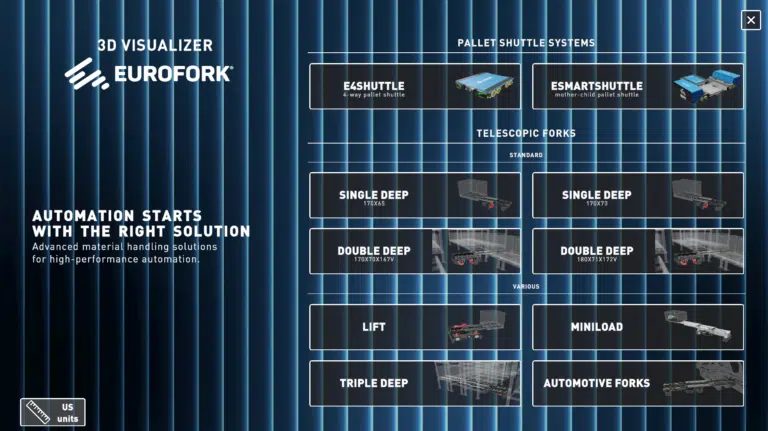
Eurofork: technical products explored at trade shows and on the web.
An interactive 3D catalogue used on a kiosk at LogiMAT 2026 and available on the web. The case demonstrates navigable product presentations; quotation rules and business integrations must be defined for each project.
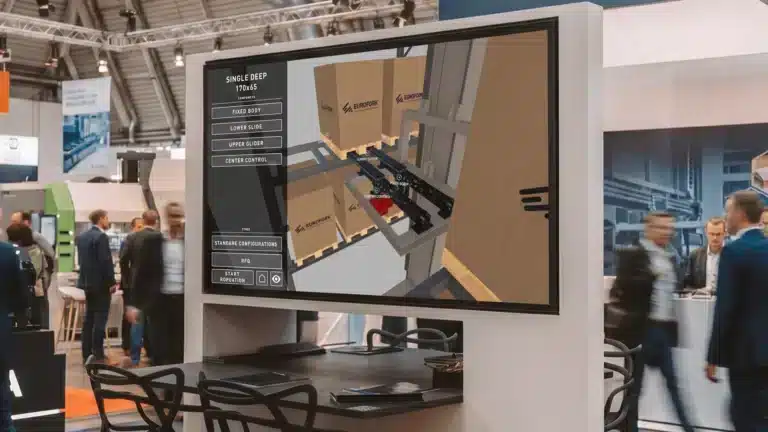
Interactive navigation helps sales teams show products and details during a presentation. To apply it to your catalogue, we first define which choices are visual and which have technical consequences.
VIEW THE PROJECT →PlanEstimator is another relevant example: a technical product turned into an interactive configuration experience for a sector event and B2B sales support.
VIEW PLANESTIMATOR →FREQUENTLY ASKED QUESTIONS
Before starting an industrial configurator.
How much does an industrial 3D configurator cost?
Starting from €3,000.
Which files are needed to get started?
We need the available CAD or 3D models, the variant list and compatibility rules. If models are missing, we assess reconstruction from drawings and references before defining the quotation.
How are technically impossible combinations prevented?
Rules are defined with your technical contact and implemented in the selection process. Testing must cover allowed combinations, dependencies and exclusions: 3D visualisation alone does not verify manufacturing feasibility.
Can it generate quotations or bills of materials?
Yes, provided the necessary data and rules are available and the feature is included in the project. Prices, codes, bills of materials and exports require specifications and result checks; they do not follow automatically from a 3D model.
Can it connect to business systems?
Integration is assessed after checking available interfaces, permissions, the data to exchange and update responsibilities. We define separately what the configurator reads and what it can write to systems.
Does it work on the web and on a trade show kiosk?
The channel is selected during project planning. Browsers, touchscreens and offline use have different requirements: we adapt navigation, models and distribution to the agreed devices.
How are products and options updated?
We agree which content you can manage and which changes require development or new assets. New rules, components or integrations must be checked before making them available to users.
LET’S TALK ABOUT YOUR PROJECT
Which product would you like to make configurable?
Tell us the product family, main variants, available materials and where the configurator will be used. We help define an initial scope and the data needed for assessment.
AN INITIAL DISCUSSION
Products, variants and systems to connect.
Share the catalogue, available 3D files and configuration rules. We can then assess the experience and required integrations together.
REQUEST AN INITIAL DISCUSSION
Tell us about the product to configure.
The fields below are optional and help us tailor our first response.