
AI Product Studio

Product images and videos, from your catalogue to sales channels.

AI Product Studio puts the product at the centre of visual production: SKUs and variants, subjects, settings and content for e-commerce, advertising and social media.

A cosmetic jar in a setting with plants: product content created with AI

The problem it solves

Creating visual content requires shoots, models, locations, post-production and adaptations for e-commerce and social media. As the catalogue grows, coordinating these activities becomes more complex. AI Product Studio organises the process into a digital pipeline centred on the product.

Product → content → distribution → sales.

A platform focused on the product

The value lies in more than the AI model itself: it is how the result becomes usable for a real objective. The product becomes a persistent generative asset: references and attributes support content creation, rather than starting again with a generic request each time.

  • Upload and manage products
  • Organise SKUs, attributes and variants
  • Create subjects and models
  • Generate consistent visual settings
  • Produce images and videos
  • Prepare content for e-commerce and social media
  • Connect content to the purchase link
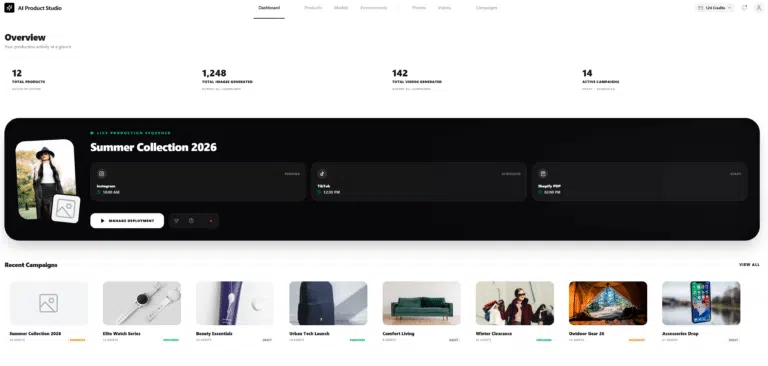
AI Product Studio overview showing products and campaigns

Adaptation to specific products · Enterprise

The Enterprise solution can be adapted to company assets: catalogues, official photographs, brand references, materials, textures and settings. The scope is defined around the products to represent and the fidelity requirements. The aim is to build content production organised around the company catalogue.

A fashion case: Fashion Try-On Studio

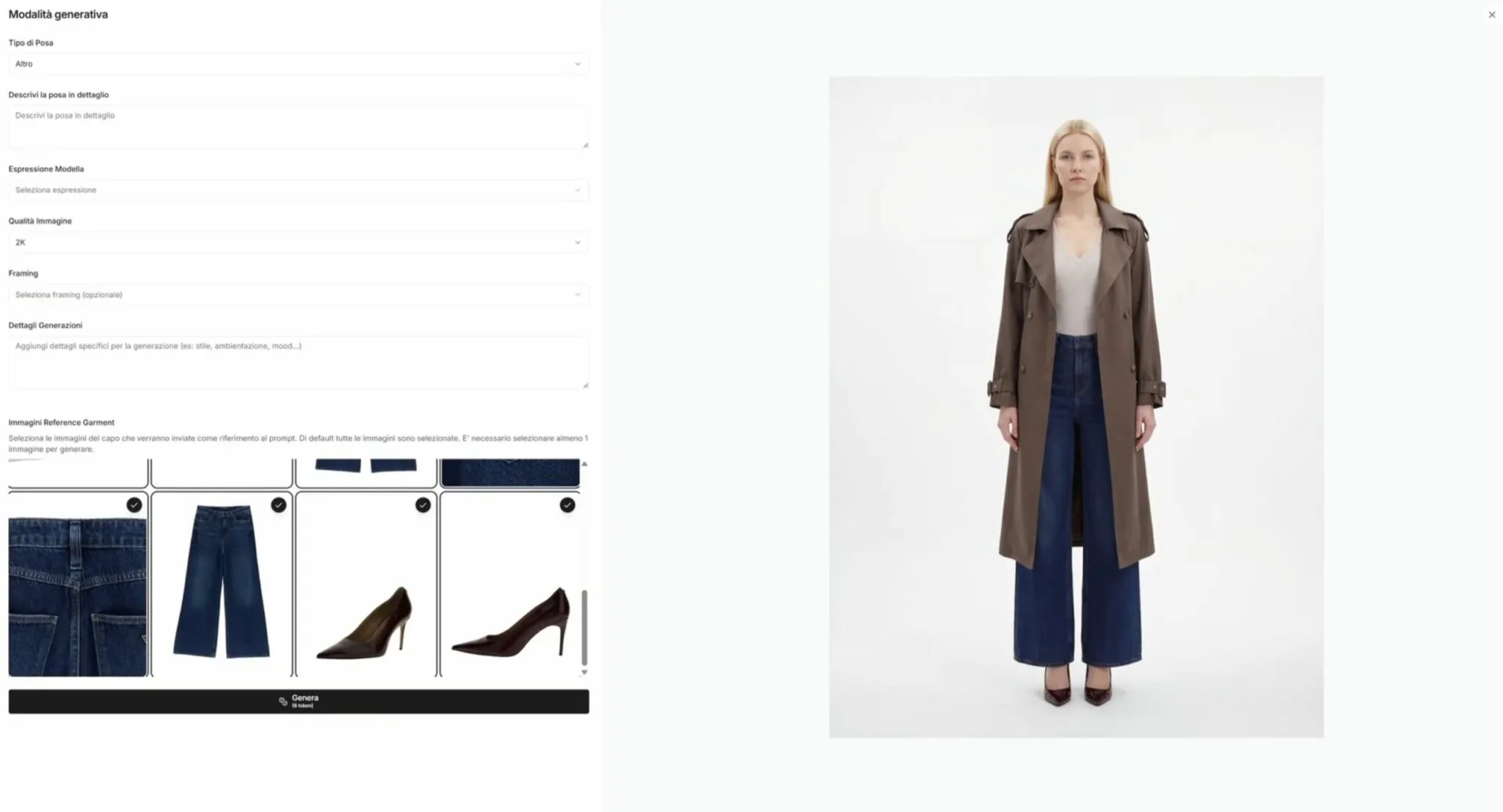
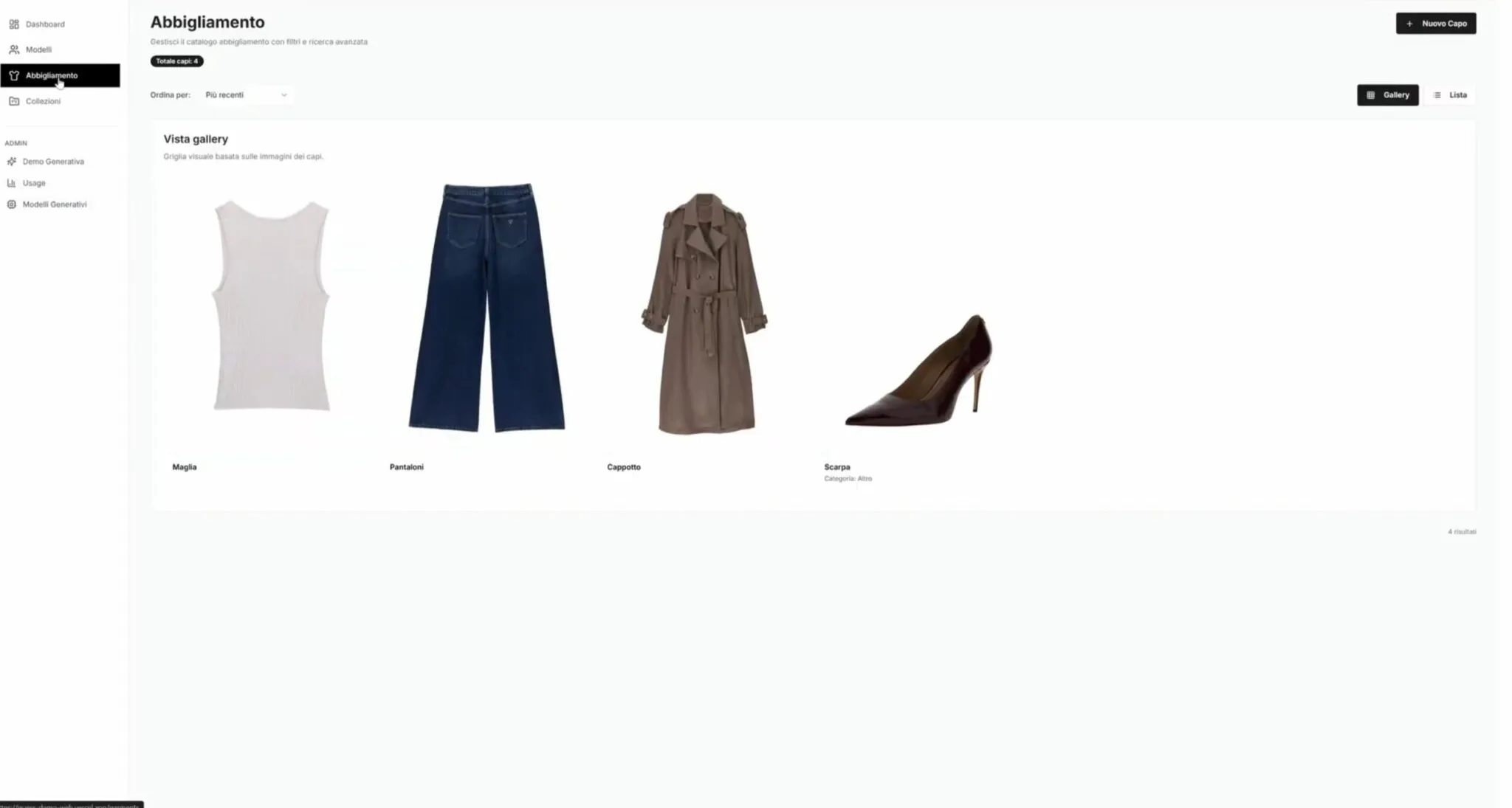
The Fashion Try-On Studio project shows an application in fashion: managing items and composing an outfit on a digital model.

Fashion Try-On Studio interface showing an outfit on a digital model
Clothing and accessory catalogue in Fashion Try-On Studio
See the Fashion Try-On Studio project (in Italian) →

The five platform modules

01

Product management

The product is the first element of the system. Information stays organised to support the creation of different versions of the content.

  • Reference images
  • Colour, size and format variants
  • Structured attributes, SKUs and metadata
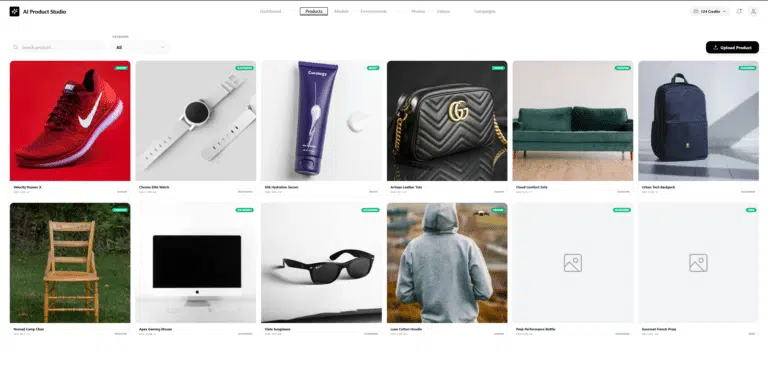
Product catalogue in the AI Product Studio interface

02

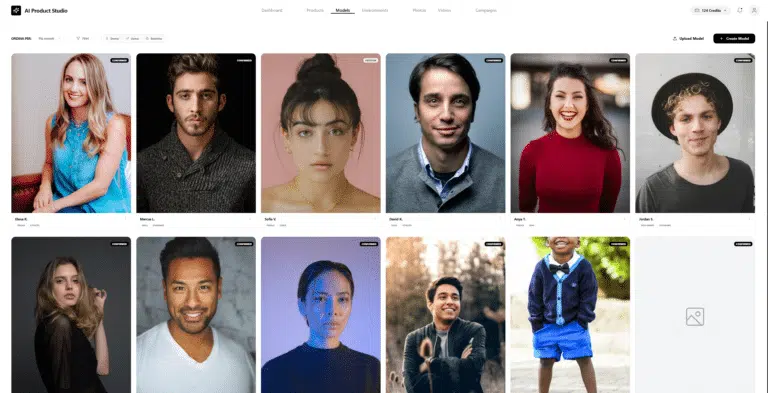
Subjects and models

The subject is chosen according to the product and the communication context.

  • Male, female and child models
  • Body parts: hands, face and torso
  • Lifestyle subjects
Subject and model library in AI Product Studio

03

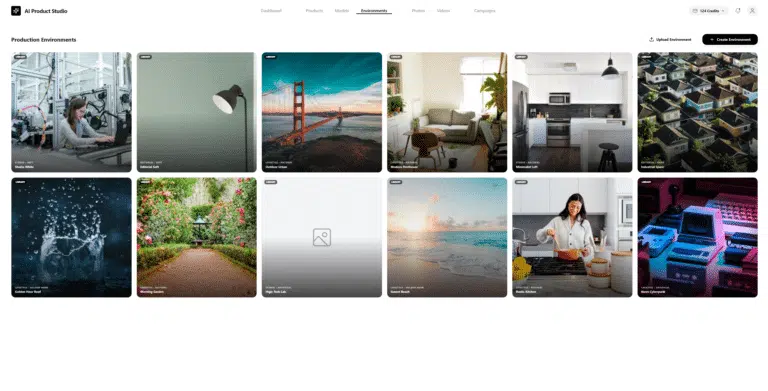
Visual settings

The setting contributes to the perception of the product and brand. Contexts are organised around the type of content to create.

  • Photography studio and editorial settings
  • Lifestyle contexts
  • E-commerce scenarios
Visual setting library in AI Product Studio

04

Content generation

Images and videos are prepared around the same products and references. The workflow can also be organised across multiple catalogue items.

  • Product and editorial images
  • Social media content
  • Short advertising videos

05

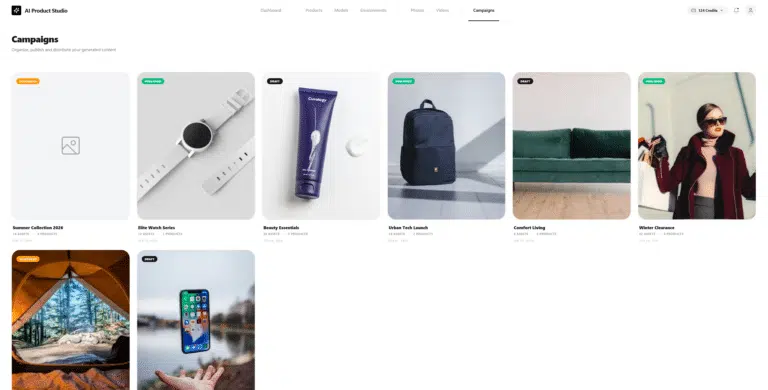
Social media and distribution

Production connects to its destination channels. The project workflow defines exporting, scheduling publications and linking to items available to buy.

  • Assets for e-commerce and social media
  • Marketing campaign materials
  • Links to products available to buy
Campaign view in AI Product Studio

Which product is right for you?

Your challengeProductWhat you get
I need to present a space and prepare an estimateShotPlanA 3D model from the floor plan, with areas and quantities for each room
Customers keep asking the same questionsVucìaAn assistant that answers around the clock using your content
I need many consistent product imagesAI Product StudioProduct images and videos for each channel
Why our own products

A production workflow supported by the Loto team.

01

The product as the reference

The catalogue, SKUs and variants remain the starting point for production.

02

Customised when needed

The project defines the adaptations, assets and integrations required.

03

From a test to a workflow

Materials, checks and destinations are defined before extending production.

A fashion use case

The video shows an example of production in fashion. The intended result is assessed against the materials and the specific product.

Frequently asked questions

What materials are needed to get started?

Official photographs, product information, variants, SKUs and brand references help define the work. In the initial conversation we review what is already available and what needs to be added.

Does the product retain its characteristics?

Shape, details, materials and variants must be checked against approved assets. The project scope includes the checks required before the content is used in commercial channels.

Can videos be produced too?

The workflow includes product images and videos, including formats for advertising and social media. Formats, duration and destinations are defined for the project.

What changes in the Enterprise solution?

Adaptation is assessed against the company catalogue and assets, fidelity requirements and the integrations requested. Activities and terms are defined before work starts.

LET’S TALK ABOUT YOUR PROJECT

Put your products at the centre of your content.

Tell us about your catalogue, sales channels and available materials. Together we will define an initial scope of work.

AN INITIAL DISCUSSION

Products, references and channels before production.

We start with approved assets and the result you need: images, videos, variants or a catalogue workflow.

REQUEST AN INITIAL DISCUSSION

Tell us about your products and objective.

The three selections are optional and help us tailor our first response.

Privacy policy
By accepting, you confirm that you have read our privacy policy.
Scroll to Top