

Projects › AI content › Fashion Try-On Studio
Catalogue, digital model and outfit composition in one platform.
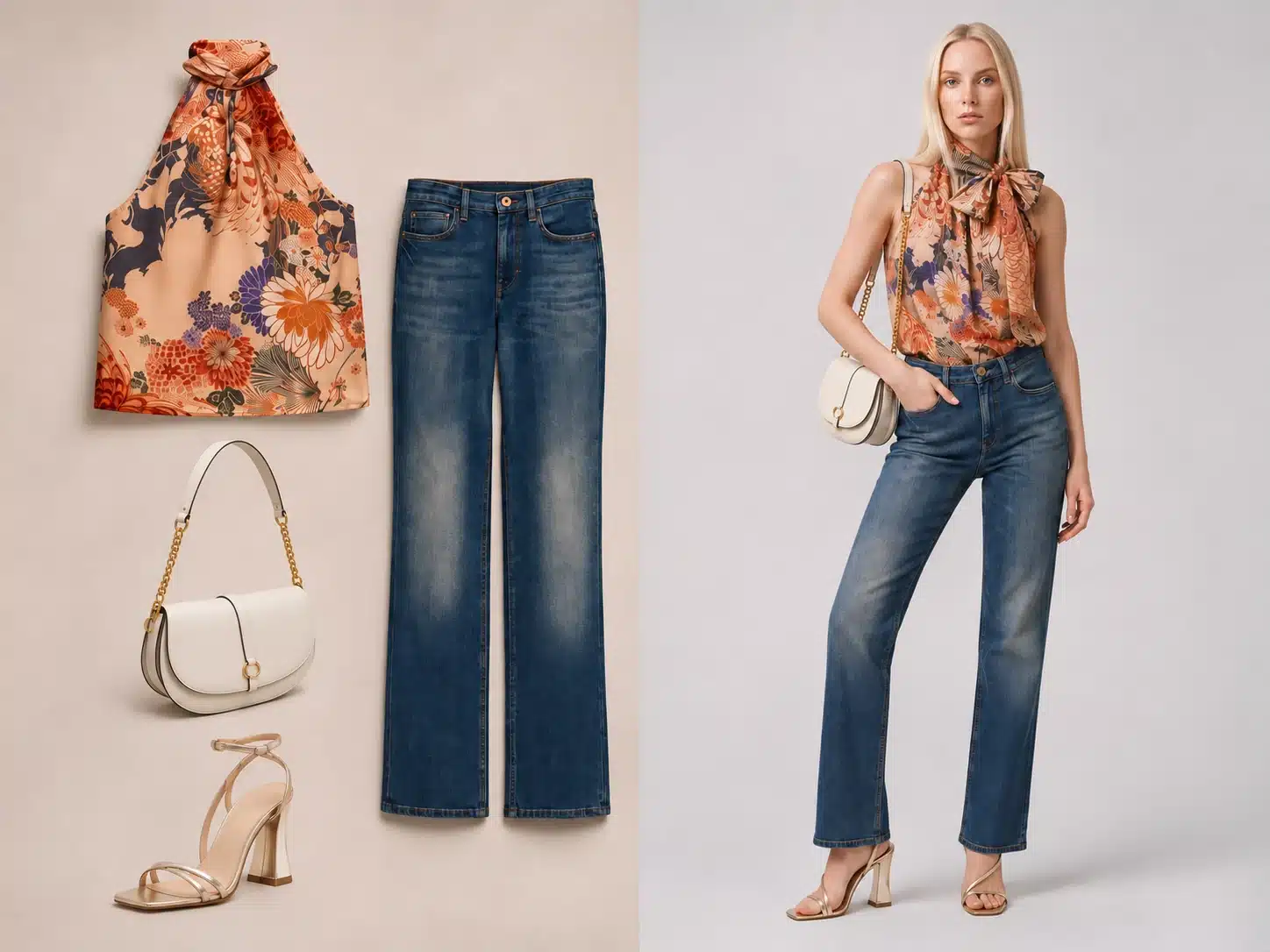
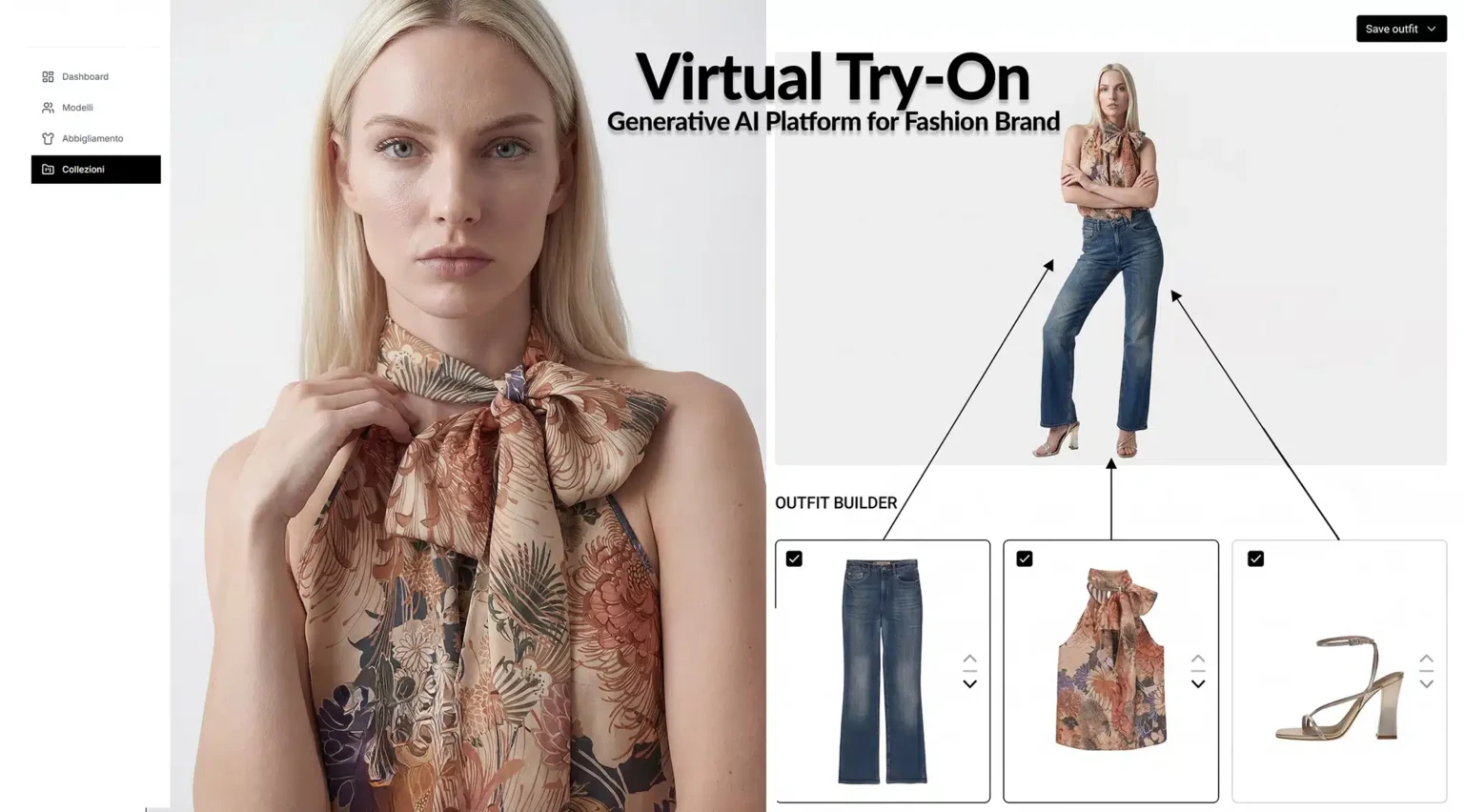
Fashion Try-On Studio is an applied study by Loto Studios for fashion image production. The process starts with garment images, connects them to a digital model and organises outfits and collections. Authentic screenshots document the interface and stages of the work, from product selection to reviewing the previews.
Project sheet
Fashion Try-On Studio at a glance
- Project/01
- Loto Studios demoTechnical and applied study
- Service/02
- AI content for fashionAI and virtual try-on for fashion →
- Inputs/03
- Garments and digital modelsImages and visual references
- Steps/04
- Catalogue and outfitsFrom selection to review
- Views/05
- Screens and videoProject interface
- Year/06
- 2026Project publication and archive
The challenge and the solution
Connecting products with outfit composition
The challenge. Representing a collection means bringing together garments, models, poses and visual direction. Products need to remain recognisable as outfits and framing change. Colours, stitching, prints and accessories must be compared with the original materials.
The solution. An interface that brings together the garment catalogue, digital models and outfit composition. The views show how to select references and assess the preview before organising the collection. Reviewing the result remains part of the work.
- 01Visual directionDefine model, pose, lighting and setting in relation to the collection.
- 02Starting materialGather clear images of garment shapes, colours and details.
- 03Result reviewCheck proportions, edges and continuity of details in the previews.
The documented process
From the garment catalogue to the collection view
- 01 · Starting pointPrepare the garmentsSelect images and details useful for representing the product.
- 02 · ModelDefine the referenceChoose a digital model, pose and visual direction for the outfit.
- 03 · CompositionAssess the previewCheck how garments, proportions and framing work together.
- 04 · ReviewOrganise the collectionSelect and correct views for the agreed uses.
A closer look
From the look to the interface
Models and collection
The project images to explore
Results and use
A process to assess with the real catalogue
- ProductDetails to compareShapes, colours, stitching and accessories require comparison with the original photographs.
- CollectionA shared referenceModel, lighting and background define the visual direction across the images.
- DeliveryReview for each useSelection, corrections and formats depend on the channel and available materials.
Virtual try-on here concerns visual representation: it does not certify size, physical fit or fabric behaviour. Images may contain variations and require selection and correction before commercial use. This study is a technical demonstration by Loto Studios; the presence of recognisable products does not imply sponsorship, endorsement or a partnership with their respective owners.
Explore AI content and virtual try-on for fashion · AI Product Studio.
More projects
More approaches to product imagery
Let’s talk about your project
Which images does your collection need?
Tell us about the garments, target channels and the result you want to achieve. We start from the product photographs and visual references available. Quantities, formats and permissions for the materials are defined together with an initial scope to assess.